
 Visualize it!
Your Brown co-author and Brown collaborator networks are now available as visual representations at the individual and departmental levels. This feature is automatically enabled for BioMed and School of Public Health faculty and opt-in for others. Opting in or out is done in the profile manager (click "Manage your profile").
How does this work?
- For the co-author network both Brown authors must have entered co-authored publications in the “Publications” section of their profiles in order for the connection to be made.
- For the collaborator network it is enough for one Brown researcher to indicate the collaboration via the “Affiliations” section of their profiles.
- If there is insufficient data in your “Publications” or “Affiliations” sections a visualization will not be available. If you and your co-authors and collaborators add data to your profiles, visualizations will be automatically generated.
- The co-author and collaborator networks are updated nightly. Changes to co-authors or collaborators in your profile will be reflected the next day in the visualizations.
- The more complete your publication and collaboration data, the more robust your data visualizations.
- All visualizations are interactive and downloadable.
- Visualizations showing collaborator networks and publication history are also available at the department level.
- At this time visualizations are limited to Brown networks but there is the possibility adding non-Brown co-authors and collaborators in the future.
How do I opt in or out?
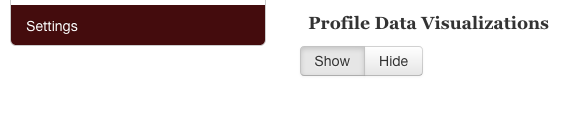
Click “Manage your profile” and then “Settings” on the left hand navigation. You will see the option to show or hide visualizations. See below.
What does this look like in my profile?
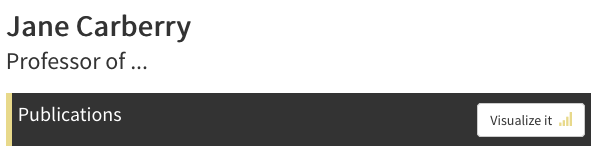
A small "Visualize it" icon appears on the Publications and Affiliations tabs for profiles that have visualizations.
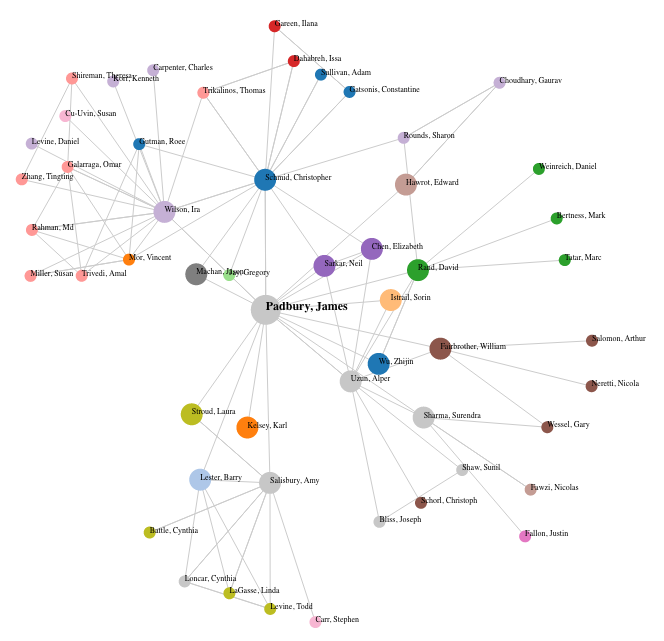
Below is an example of a collaborator network visualization
How Can I Re-use Visualizations?
- Visualizations can be downloaded as images to use in grant applications, presentations, social media posts and other formats.
- The data underlying visualizations can be downloaded as CSV or JSON.
- The code to embed visualizations in other web applications can be downloaded.
For questions or assistance please contact researchers@brown.edu.